
Introduction
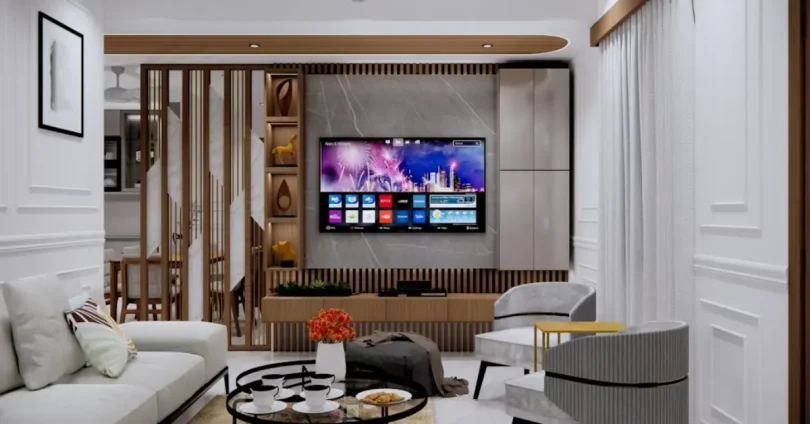
Smart TVs have become a must-have in modern homes, turning regular television watching into a smart, interactive experience. But what really makes a Smart TV “smart” is its operating system (OS). The OS is like the brain of your TV — it controls the interface, apps, streaming services, voice assistants, and overall performance.
Choosing the right Smart TV OS can make a big difference in speed, features, and how easy it is to use. From Android TV’s massive app store to LG’s stylish webOS and Samsung’s smooth Tizen OS, each system has its own strengths. In this guide, we’ll explore the best operating systems for Smart TVs, compare their features, and help you find the one that’s perfect for your needs.
What is a Smart TV Operating System?
A Smart TV Operating System (OS) is the software platform that powers your television, similar to how Windows runs on a computer or Android/iOS runs on a smartphone. It manages the TV’s functions, controls the user interface, and allows you to install and run apps like Netflix, YouTube, Amazon Prime Video, or Disney+.

Think of the OS as the bridge between your TV hardware and the content you want to enjoy. It determines:
- How easy it is to navigate menus
- Which apps and services are available
- The speed and smoothness of the TV’s performance
- Extra features like voice control, screen mirroring, or gaming modes
Different Smart TV brands use different operating systems — for example, Samsung uses Tizen OS, LG uses webOS, and many brands use Android TV/Google TV. Each OS offers unique features, so understanding them helps you choose the one that fits your needs best.
You may also like to read this:
4K Smart TVs: Revolutionizing Home Entertainment
Smart TV Buying Guide:Smart Features
Latest Smart TV Models You Can Buy Now
Best Smart TVs 2025: Top Picks for Picture Quality, Gaming & Value
Top Operating Systems for Smart TVs
Smart TVs come with different operating systems, each offering unique features, layouts, and app selections. Below are some of the most popular and reliable Smart TV OS options available today:
Android TV / Google TV – Feature-Rich & App-Friendly
Best for: Users who want a wide variety of apps and Google integration.
Key Features:
- Access to thousands of apps via the Google Play Store
- Built-in Chromecast for easy casting from phones or laptops
- Google Assistant for voice control and smart home integration
- Regular updates from Google
- Pros: Huge app library, smooth voice control, great for Google ecosystem users.
- Cons: Can feel heavy on lower-end hardware, more complex for casual users.
Tizen OS (Samsung) – Smooth & Fast Interface
Best for: Samsung TV owners looking for speed and easy navigation.
Key Features:
- Minimal, fast, and clean interface
- Works well with Samsung’s ecosystem and SmartThings app
- Wide selection of streaming apps
- Supports advanced picture and sound settings
- Pros: Fast performance, sleek design, easy multitasking.
- Cons: Smaller app library compared to Android TV.
webOS (LG) – Stylish & User-Friendly
Best for: LG TV owners who love an easy-to-use, modern interface.
Key Features:
- Launcher bar for quick access to apps and settings
- Magic Remote with point-and-click navigation
- Voice assistants (Google Assistant & Alexa)
- Smooth animations and transitions
- Pros: Simple navigation, attractive design, responsive.
- Cons: Limited customization options compared to Android TV.
Roku TV OS – Budget-Friendly & Easy to Use
Best for: Users who want simplicity and affordability.
Key Features:
- Huge library of streaming channels
- Universal search across multiple apps
- Frequent updates and new features
- Simple, remote-based navigation
- Pros: Easy learning curve, wide app support, affordable TVs.
- Cons: Limited advanced features, basic design.
Fire TV OS (Amazon) – Alexa-Integrated Experience
Best for: Amazon Prime Video and Alexa users.
Key Features:
- Deep integration with Amazon services
- Alexa voice control built-in
- Personalized recommendations
- Access to a large app store
- Pros: Great for Amazon ecosystem, strong app support.
- Cons: Heavy Amazon promotion in the interface.
Pros & Cons of Each Smart TV Operating System
Android TV / Google TV
Pros:
- Massive app selection via Google Play Store
- Strong Google ecosystem integration
- Built-in Chromecast
Cons:
- Can be slow on low-end hardware
- Interface may feel complex for non-tech users
Tizen OS (Samsung)
Pros:
- Fast and smooth performance
- Clean, attractive interface
- Good multitasking support
Cons:
- Smaller app library compared to Android TV
- Limited customization options
webOS (LG)
Pros:
- Simple, modern design
- Magic Remote makes navigation easy
- Supports multiple voice assistants
Cons:
- Fewer advanced settings for tech enthusiasts
- App selection not as large as Android TV
Roku TV OS
Pros:
- Very easy to use, even for beginners
- Huge library of streaming channels
- Affordable Smart TV options
Cons:
- Basic design with fewer advanced features
- Limited customization
Fire TV OS (Amazon)
Pros:
- Excellent for Amazon Prime and Alexa users
- Good app selection
- Personalized recommendations
Cons:
- Interface heavily promotes Amazon content
- Can feel cluttered at times
You may also like to read this:
Future Technology Trends: Innovations That Will Shape World
Upcoming Tech Innovations to Watch in 2025
Latest Technology Advancements: Transforming Our World
How to Choose the Right Smart TV OS for You
When selecting a Smart TV OS, think about how you’ll use your TV most often:

- For App Variety & Flexibility – Choose Android TV / Google TV.
- For Speed & Simple Navigation – Go with Tizen OS or webOS.
- For Affordability & Simplicity – Pick Roku TV OS.
- For Amazon Services & Alexa Integration – Choose Fire TV OS.
- For Minimalist Design – Opt for VIDAA OS or My Home Screen.
Frequently Asked Questions (FAQs)
Which Smart TV OS is the fastest?
Q2: Which Smart TV OS has the most apps?
Is Roku better than Fire TV?
Can I change my Smart TV’s operating system?
Which Smart TV OS is best for gaming?
Do all Smart TV OS support Netflix and YouTube?
Q6: Do all Smart TV OS support Netflix and YouTube?
Conclusion
Your Smart TV’s operating system plays a huge role in your viewing experience. While Android TV shines with apps, Tizen and webOS offer sleek, user-friendly designs. Roku TV and Fire TV bring affordability and unique features, while VIDAA and My Home Screen keep things simple.
There’s no one-size-fits-all answer — the “best” OS depends on your needs, brand preference, and how you plan to use your TV. By knowing the strengths and weaknesses of each, you can choose an operating system that makes your entertainment smooth, fast, and enjoyable.
You may also like to read this:
Latest Tech News 2025: Breakthroughs & Trends