

Introduction
Streaming has changed the way we watch TV. Instead of relying only on cable or satellite, people now enjoy watching Netflix, YouTube, Amazon Prime, and many other apps directly on their TVs. But what if your TV isn’t “smart”? That’s where Smart TV Sticks and Smart TV Boxes come in.
Both devices can turn a regular TV into a smart one, but they work in slightly different ways. A Smart TV Stick is small, portable, and affordable, while a Smart TV Box is more powerful, feature-rich, and designed for heavy users.
In this article, we’ll compare Smart TV Stick vs Box, explore their key differences, pros and cons, and help you decide which one suits your needs best.
What is a Smart TV Stick?
A Smart TV Stick is a small device, usually the size of a USB flash drive, that plugs directly into your TV’s HDMI port. Once connected, it gives you access to streaming apps like Netflix, YouTube, Disney+, Amazon Prime Video, and many more.
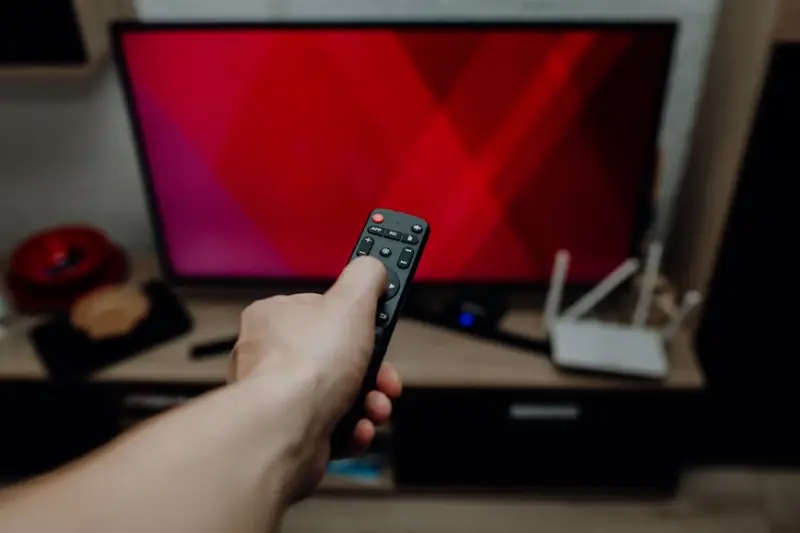
It works by connecting to your home Wi-Fi and turning your regular TV into a smart TV. These sticks are designed to be simple, affordable, and easy to carry around.
Key Features of a Smart TV Stick:
- Compact and Portable – Easy to carry when traveling.
- Affordable – Budget-friendly compared to TV boxes.
- Easy Setup – Plug into HDMI, connect Wi-Fi, and start streaming.
- Voice Control Support – Many sticks support Alexa, Google Assistant, or voice remotes.
- Popular Options – Amazon Fire TV Stick, Roku Stick, Chromecast with Google TV.
What is a Smart TV Box?
A Smart TV Box is a larger streaming device that connects to your TV via HDMI, just like a stick, but with more power, storage, and features. Unlike compact sticks, a TV box is designed for heavier use—such as 4K or even 8K streaming, gaming, and running advanced apps.
Smart TV Boxes usually come with stronger processors, more memory, and multiple connectivity options, making them ideal for users who want more than just basic streaming.
Key Features of a Smart TV Box:
- Powerful Performance – Handles high-quality 4K/8K streaming, gaming, and multitasking.
- More Connectivity Options – Includes USB ports, Ethernet for stable internet, Bluetooth, and external storage support.
- Bigger Storage – Allows installing more apps and storing media files.
- Advanced Controls – Some come with air remotes, gaming controllers, or voice assistants.
- Popular Options – Apple TV, Nvidia Shield, Mi Box, Android TV Boxes.
Pros and Cons of Smart TV Stick
A Smart TV Stick is a great choice for many users, but like any device, it has its strengths and limitations. Let’s break it down:
Pros of Smart TV Stick
- Affordable – Usually cheaper than TV boxes.
- Compact & Portable – Easy to carry while traveling.
- Simple Setup – Plug it into HDMI, connect Wi-Fi, and start streaming.
- Good for Casual Use – Perfect for watching Netflix, YouTube, or Prime Video.
- Voice Assistant Support – Many sticks come with Alexa or Google Assistant remote.
Cons of Smart TV Stick
- Limited Performance – Not as powerful as a TV box.
- Less Storage – Can’t store many apps or media files.
- Connectivity Limitations – No USB ports, Ethernet, or expandable storage.
- Not Ideal for Gaming – Supports only light or basic games.
- Overheating Issues – Small size may lead to heating during long use.
Pros and Cons of Smart TV Box
A Smart TV Box is built for power and features, making it a great choice for heavy users. But like any device, it has both advantages and drawbacks.
Pros of Smart TV Box
- High Performance – Handles 4K/8K streaming, multitasking, and even gaming.
- More Storage – Can install more apps and sometimes store media files.
- Better Connectivity – Includes USB ports, Ethernet, HDMI, Bluetooth, and external drive support.
- Advanced Features – Supports gaming controllers, air remotes, and extra apps.
- Long-Term Use – More durable and future-proof compared to TV sticks.
Cons of Smart TV Box
- More Expensive – Costs more than smart TV sticks.
- Bulky Design – Not portable like a stick; better for permanent setup.
- Complex Setup – Requires more steps compared to plug-and-play sticks.
- Overkill for Casual Users – If you only watch Netflix or YouTube, you may not need all the extra features.
Smart TV Stick vs Box: Which One Should You Buy?
Deciding between a Smart TV Stick and a Smart TV Box depends on how you plan to use it, your budget, and how tech savvy you are. Here’s a clear breakdown to help you make the best choice:
Choose a Smart TV Stick if you:
- Prioritize portability: Sticks are tiny and easy to pack—great for travel or switching between TVs.
- Leave your wallet smiling: They’re usually much more affordable than boxes.
- Want simplicity: Just plug into HDMI, connect to Wi-Fi, and you’re streaming. Perfect for everyday use—think Netflix, YouTube, and Prime Video.
Ideal for roommates, frequent travelers, or anyone looking for a hassle-free streaming solution.
Go with a Smart TV Box if you:
- Demand more power: Better for 4K or even 8K content, gaming, and multitasking—especially if you are a serious streamer or gamer.
- Need multiple ports: Perfect if you want USB, Ethernet, external storage, and Bluetooth in one place.
- Plan for longevity: More storage and better specs mean the device stays relevant as apps evolve and media quality improves.
Best Use Cases for Smart TV Stick
A Smart TV Stick is not just budget-friendly, but also practical for many everyday situations. Here are the best scenarios where a stick works perfectly:
1. Casual Streaming
- Ideal for watching Netflix, YouTube, Prime Video, or Disney+ without needing powerful hardware.
2. Traveling and Portability
- Because of its small size, you can carry it anywhere—just plug it into a hotel TV or a friend’s TV for instant entertainment.
3. Small Apartments or Dorm Rooms
- Perfect for students or small households where space and simplicity matter.
4. Budget-Friendly Smart Upgrade
- If you want to turn a regular TV into a smart TV without spending much, a stick is the most affordable solution.
5. Voice-Control Convenience
- Many sticks come with Alexa or Google Assistant, making it easy to search for shows, adjust volume, or control smart home devices.
Best Use Cases for Smart TV Box
A Smart TV Box is designed for power, storage, and flexibility. It’s the right choice when you need more than just basic streaming. Here are the best scenarios where a TV box shines:
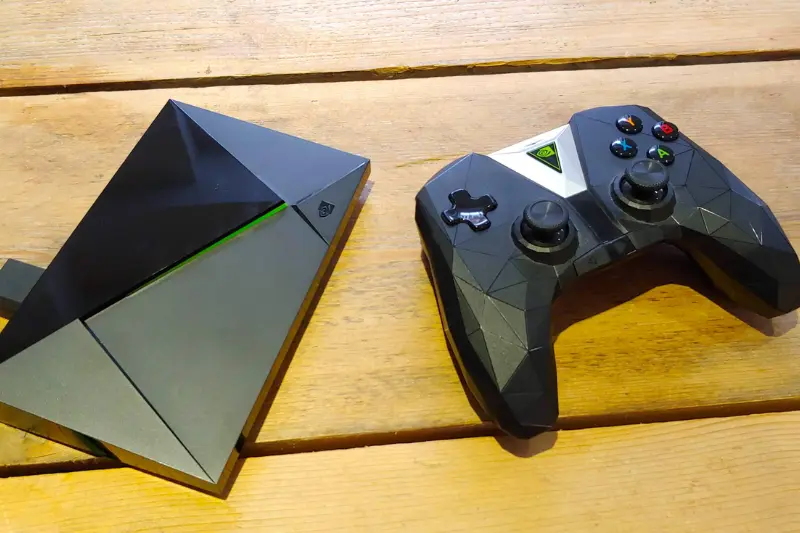
1. Gaming and Heavy Apps
- Perfect for users who want to play Android games or use apps that require more processing power and storage.
2. High-Quality Streaming (4K/8K)
- Handles ultra-HD content smoothly, making it ideal for movie lovers and sports fans who want the best picture quality.
3. Stable Internet Connection
- With Ethernet support, it’s great for users who prefer a wired connection for faster and more reliable streaming.
4. Media Storage and File Sharing
- Supports USB drives, hard disks, and expandable storage—ideal if you like saving movies, photos, or running Kodi/Plex media servers.
5. Home Entertainment Hub
- A Smart TV Box can act as a central hub for gaming, streaming, music, and even smart home control, making it a long-term entertainment investment.
FAQs About Smart TV Stick vs Box
Can I use a Smart TV Stick or Box on any TV?
Q2: Do I need the internet for a Smart TV Stick or Box?
Q3: Which is better for 4K streaming, a stick or a box?
Q4: Can I play games on a Smart TV Stick?
Q5: Are Smart TV Boxes worth the higher price?
Q6: Which one is easier to carry while traveling?
Conclusion
When comparing Smart TV Stick vs Box, the best choice depends on your personal needs. A Smart TV Stick is perfect if you want something simple, affordable, and portable for casual streaming. On the other hand, a Smart TV Box offers more power, storage, and advanced features, making it ideal for heavy users, gamers, and those who enjoy 4K or 8K content. Both devices upgrade your viewing experience, so the right option is the one that fits your lifestyle and entertainment habits.