

Introduction
In today’s world of entertainment, choosing how to watch TV can be a little confusing. Some people still rely on a cable box to get their favorite channels, while others have switched to a Smart TV device that lets them stream shows and movies online. Both options come with their own advantages and drawbacks. Smart TV Device vs Cable Box
If you’re wondering which one is better for you—a Smart TV device or a cable box—this guide will help. We’ll explain what each one is, how they work, their pros and cons, and which option might suit your lifestyle and budget best.
What is a Smart TV Device?
A Smart TV device is a small gadget that connects to your TV and gives you access to internet-based streaming services. Instead of relying on traditional cable channels, it lets you watch content from popular apps like Netflix, YouTube, Amazon Prime Video, Disney+, and many more.
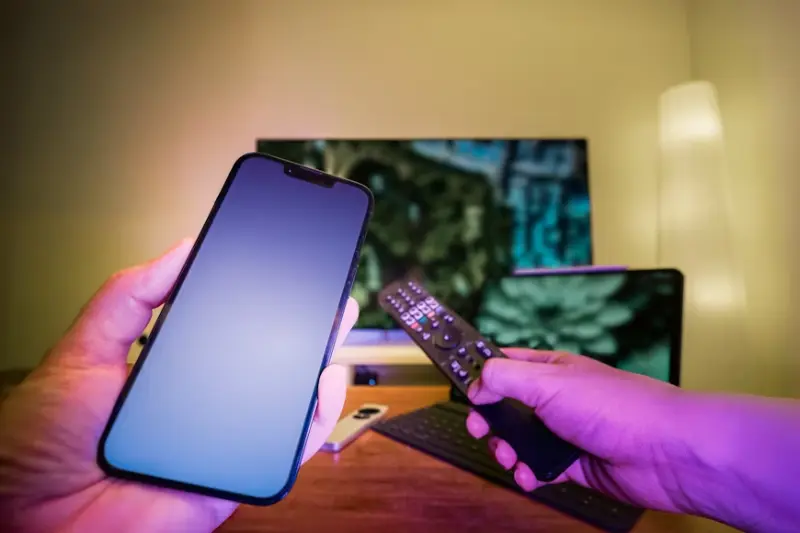
These devices are easy to set up—just plug them into your TV’s HDMI port, connect to Wi-Fi, and start streaming. Some common Smart TV devices include:
- Amazon Fire Stick
- Roku
- Apple TV
- Google Chromecast
Key Features of a Smart TV Device:
- Access to thousands of apps and streaming platforms.
- Watch on-demand shows, movies, and even live TV through apps.
- Voice control with assistants like Alexa, Siri, or Google Assistant.
- Portable and easy to carry, so you can use it on different TVs.
- No long-term contracts—subscribe only to the services you like.
You may also like to read this:
Latest Tech News 2025: Breakthroughs & Trends
Smart TV Buying Guide:Smart Features
Latest Smart TV Models You Can Buy Now
Best Smart TVs 2025: Top Picks for Picture Quality, Gaming & Value
What is a Cable Box?
A cable box is a device provided by your cable TV service provider that connects to your television and delivers live TV channels. It works through a cable connection, meaning you don’t need the internet to watch your favorite shows, news, or sports. Cable boxes have been the traditional way of watching television for decades and are still widely used in many homes.
They often come with a remote control and features like DVR (Digital Video Recorder), which allows you to record shows and watch them later.
Key Features of a Cable Box:
- Access to hundreds of live TV channels, including local, sports, and news.
- Works without needing internet or Wi-Fi.
- DVR option to record and replay shows.
- Usually comes with a subscription plan from your cable provider.
- Reliable for live events like sports and breaking news.
Smart TV Device vs Cable Box: Key Differences
Both Smart TV devices and cable boxes let you watch your favorite shows, but they work in very different ways. A Smart TV device focuses on streaming over the internet, while a cable box relies on a cable connection to deliver live TV channels.
| Feature | Smart TV Device | Cable Box |
| Content Access | Streaming apps (Netflix, Hulu, YouTube, Disney+) | Live TV channels (sports, news, movies, local TV) |
| Internet Requirement | Needs a stable internet connection | Works without internet |
| Flexibility | On-demand, watch anytime | Mostly limited to live programming (unless DVR is included) |
| Cost | One-time device cost + streaming subscriptions | Monthly subscription fees |
| Portability | Small and easy to carry, can use on multiple TVs | Bulky, usually stays connected to one TV |
| Contracts | No contracts, cancel anytime | Often requires long-term contracts |
| Updates | Regular software updates and new features | Limited updates, depends on cable provider |
Pros and Cons of Smart TV Device
Like any technology, Smart TV devices have their strengths and weaknesses. Here’s a quick breakdown to help you decide:
Pros of Smart TV Device
- Affordable Option – One-time device cost with no heavy monthly fees (except for streaming subscriptions).
- Access to On-Demand Content – Watch movies, shows, and videos anytime through apps like Netflix, Hulu, and YouTube.
- Easy to Use and Portable – Small, lightweight devices that can be plugged into any TV.
- Voice Control Support – Many come with Alexa, Google Assistant, or Siri integration for hands-free use.
- Regular Updates – Software updates often add new apps and features.
Cons of Smart TV Device
- Requires Internet – Needs a fast and stable internet connection to stream smoothly.
- Live Channels May Cost Extra – Local channels, live sports, or premium networks often require separate apps or subscriptions.
- Subscription Costs Add Up – Having multiple streaming services can sometimes become expensive.
- Not Always Ideal for Non-Tech Users – Some people may find setting up apps and accounts confusing at first.
Pros and Cons of Cable Box
Cable boxes remain popular for many households, but they also come with some downsides. Let’s look at the advantages and disadvantages.
Pros of Cable Box
- Reliable Live TV Access – Great for watching sports, news, and local channels without worrying about internet speed.
- DVR Functionality – Record shows and movies to watch later at your convenience.
- Simple to Use – Easy navigation with a remote; no need to download apps or manage multiple subscriptions.
- Bundled Services – Often comes with phone and internet packages, which may save money if you need all three.
Cons of Cable Box
- Expensive Monthly Fees – Subscription plans can be costly compared to streaming services.
- Long-Term Contracts – Many providers require contracts, making it less flexible.
- Bulky Hardware – Takes up more space compared to small streaming devices.
- Limited Flexibility – Mostly tied to live programming; on-demand options are fewer.
- Extra Fees – Additional costs for premium channels, DVR service, or extra boxes for other TVs.
Which One Should You Buy?
Deciding between a Smart TV device and a cable box depends on what matters most to you: cost, convenience, or content. Both options serve the same purpose—bringing entertainment to your screen—but they do so in very different ways.
- If you value flexibility and control, a Smart TV device is the smarter choice. It allows you to watch what you want, when you want, through apps like Netflix, YouTube, Amazon Prime, and Disney+. These devices are portable, affordable, and don’t lock you into long-term contracts.
- All you need is a stable internet connection, and you’re set. For people who enjoy binge-watching series, exploring new movies, or customizing their entertainment with different apps, a Smart TV device is ideal.
- On the other hand, if you prefer a traditional viewing experience, then a cable box may be better suited for you. Cable boxes deliver a wide range of live TV channels without relying on the internet. They’re especially useful for households that watch a lot of sports, news, or local programming. Plus, the DVR feature lets you record shows and watch them later.
- However, cable services often come with higher monthly fees and long-term contracts, which can be a drawback for budget-conscious viewers.
You may also like to read this:
New Operating Systems 2025: A Complete Overview
Best Operating Systems for Smart TVs in 2025
Latest Software Updates in 2025: What You Need to Know
Smart TV Device vs Cable Box:
Choosing between a Smart TV device and a cable box depends on your viewing habits, budget, and lifestyle. Both have strong points, but one may suit your needs better than the other.

Choose a Smart TV Device if:
- You prefer on-demand shows and movies from platforms like Netflix, Hulu, or Disney+.
- You want a budget-friendly option with no long-term contracts.
- You travel often or want a portable device you can use on different TVs.
- You already have reliable internet at home.
Choose a Cable Box if:
- You watch a lot of live TV, including sports, local news, or special events.
- You don’t want to rely on internet speed or deal with buffering.
- You prefer simple channel surfing with a remote.
- You don’t mind paying a monthly subscription fee for convenience.
FAQs Smart TV Device vs Cable Box
Can a Smart TV device replace a cable box?
Do Smart TV devices require internet?
Which is cheaper: Smart TV device or cable box?
Can I use both a Smart TV device and a cable box together?
Which is better for live sports and news?
Do I need a Smart TV to use a Smart TV device?
Conclusion
Both Smart TV devices and cable boxes offer different ways to enjoy your favorite shows and movies. A Smart TV device is perfect if you want flexibility, on-demand entertainment, and lower costs. On the other hand, a cable box is ideal if you prefer live TV channels, sports, and local programming without relying on the internet.
At the end of the day, the choice depends on your viewing habits, budget, and what kind of experience you’re looking for. If you enjoy streaming and freedom from contracts, a Smart TV device may be your best pick. But if you want reliable live TV and don’t mind monthly fees, a cable box can still be a solid choice.
You may also like to read this:
Latest Tech News 2025: Breakthroughs & Trends