
Introduction
In today’s digital age, televisions are more than just screens for watching cable channels—they’re powerful entertainment hubs packed with smart features. A Smart TV Features traditional television with internet connectivity, allowing you to stream movies, browse the web, play games, and even control smart home devices, all from one device.
From crystal-clear 4K and 8K resolution to voice control, streaming apps, and seamless device integration, Smart TVs offer a range of features designed to enhance your viewing experience. Understanding these features will help you choose the right TV that fits your needs, whether you’re a movie lover, a gamer, or simply want the convenience of a connected home.
High-Resolution Display Options (4K, 8K & HDR)
One of the most important things to look for in a Smart TV is its display resolution—it determines how sharp, clear, and detailed your picture will be.
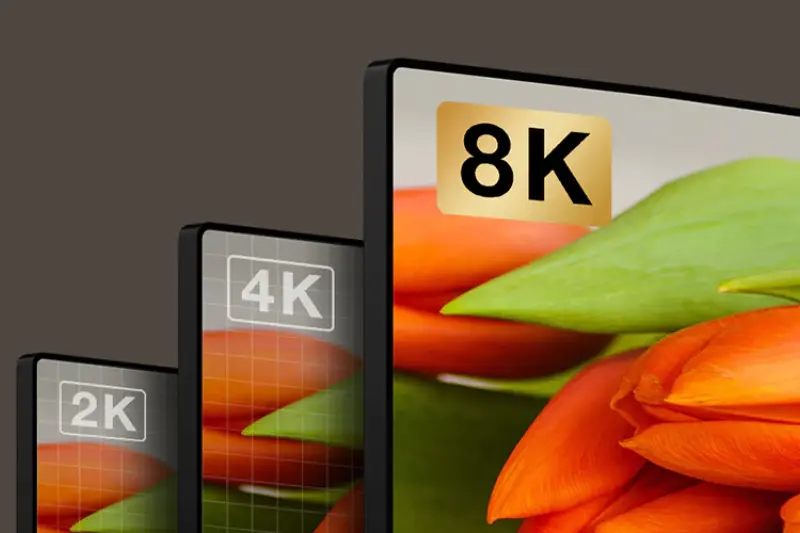
- 4K Ultra HD: Offers four times the resolution of Full HD, providing stunning clarity and detail. Perfect for movies, sports, and gaming, 4K is now the standard for most Smart TVs.
- 8K Ultra HD: Delivers an even more lifelike picture with incredible sharpness. While still new and more expensive, 8K is ideal for large screens and future-proofing your purchase.
- HDR (High Dynamic Range): Enhances the contrast, brightness, and color range, making scenes look more realistic and vibrant. Look for formats like HDR10, Dolby Vision, and HLG for the best experience.
You may also like to read this:
Latest Tech News 2025: Breakthroughs & Trends
Trending Technology Updates: Latest Innovations 2025\
Daily Tech News Highlights – Latest Trends
Breaking Tech News Today: Latest Updates, 2025
Built-in Wi-Fi & Seamless Internet Connectivity
A key feature that makes a TV “smart” is its ability to connect to the internet. Built-in Wi-Fi allows your Smart TV to link directly to your home network without extra cables, giving you instant access to online entertainment.
With internet connectivity, you can:
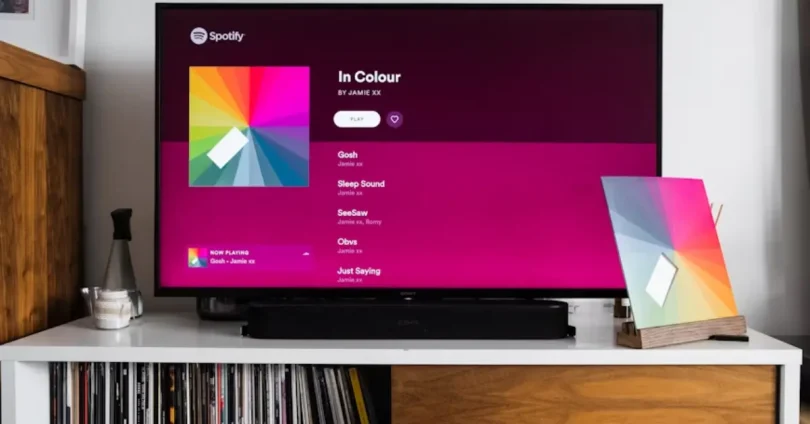
- Stream movies, shows, and music from apps like Netflix, YouTube, Disney+, and Spotify.
- Browse websites right on your TV screen.
- Update apps and system software automatically for better performance and security.
- For the most stable connection, you can also use an Ethernet cable, especially if you’re streaming 4K or 8K content or playing online games. This ensures smoother playback with minimal buffering.
Pre-installed & Downloadable Streaming Apps
One of the biggest advantages of a Smart TV is having entertainment at your fingertips through built-in streaming apps. Most Smart TVs come pre-loaded with popular services like:
- Netflix – Movies, TV shows, and original series in multiple genres.
- YouTube – Videos, tutorials, and music from creators worldwide.
- Amazon Prime Video – A mix of movies, shows, and exclusive content.
- Disney+ – Family-friendly movies, Marvel, Star Wars, and more.
- Spotify – Music streaming directly from your TV.
In addition to pre-installed apps, many Smart TVs let you download extra apps from their own app stores, depending on the operating system (Android TV, Tizen, webOS, Roku TV, etc.). These may include:
- News apps (BBC News, CNN)
- Sports apps (ESPN, NBA, FIFA)
- Gaming apps for casual play
- Educational apps for learning at home
Voice Control & AI Assistant Integration
Modern Smart TVs go beyond buttons and menus—many now feature voice control for a faster, hands-free experience. With built-in microphones on the remote or directly in the TV, you can simply speak commands instead of typing or navigating manually.
Popular AI assistants supported by Smart TVs include:
- Amazon Alexa – Change channels, adjust volume, or launch apps with your voice.
- Google Assistant – Search for shows, check the weather, control smart home devices.
- Apple Siri (via AirPlay) – Control your TV and stream directly from Apple devices.
With voice commands, you can:
- Search for a movie or show without typing.
- Adjust volume or brightness instantly.
- Ask questions, set reminders, or check news updates.
- Control smart home gadgets like lights, thermostats, and cameras.
Screen Mirroring & Casting Made Easy
Smart TVs make it simple to share content from your phone, tablet, or laptop directly onto the big screen through screen mirroring and casting. This is perfect for showing family photos, watching videos from your mobile apps, or even presenting work slides without extra cables.
Common casting and mirroring technologies include:
- Chromecast (Google) – Stream videos, music, and apps from Android or Chrome browser.
- AirPlay (Apple) – Share media from iPhones, iPads, and Mac devices.
- Miracast / Screen Share – Wireless screen mirroring for Windows and many Android devices.
Benefits of screen mirroring and casting:
- Enjoy mobile content on a larger display.
- Play games from your phone on your TV.
- Share presentations or documents instantly.
Smart Home Control via Your TV
Many modern Smart TVs can do more than play your favorite shows—they can also act as a central hub for your smart home. With built-in smart home integration, you can manage and control connected devices without leaving your couch.
Depending on the TV’s operating system and assistant support, you can:
- Adjust smart lights (dim, change colors, or switch on/off).
- View live security camera feeds right on your TV screen.
- Control smart thermostats to set the perfect room temperature.
- Manage smart plugs and appliances with simple commands.
Popular platforms like Google Home, Amazon Alexa, and Apple HomeKit make it possible to connect your TV to a wide range of devices. This means you can switch from watching a movie to checking who’s at the door—all from the same screen.
You may also like to read this:
Future Technology Trends: Innovations That Will Shape World
Upcoming Tech Innovations to Watch in 2025
Latest Technology Advancements: Transforming Our World
How to Choose the Right Smart TV for Your Needs
With so many models and features available, picking the perfect Smart TV can feel overwhelming. The key is to match your purchase with your viewing habits, room size, and budget. Here are some tips to help you decide:
Decide on the Screen Size
Choose a size that fits your room. Bigger isn’t always better—make sure the TV size is comfortable for your viewing distance.
- Small rooms: 32–43 inches
- Medium rooms: 50–65 inches
- Large rooms: 70 inches or more
Check the Resolution & Display Quality
For most people, 4K with HDR is the sweet spot. If you want future-proof tech and have the budget, consider 8K.
Compare Operating Systems
- Different Smart TVs run on different platforms:
- Android TV / Google TV – App-rich, flexible.
- Tizen (Samsung) – Smooth and user-friendly.
- webOS (LG) – Clean, easy navigation.
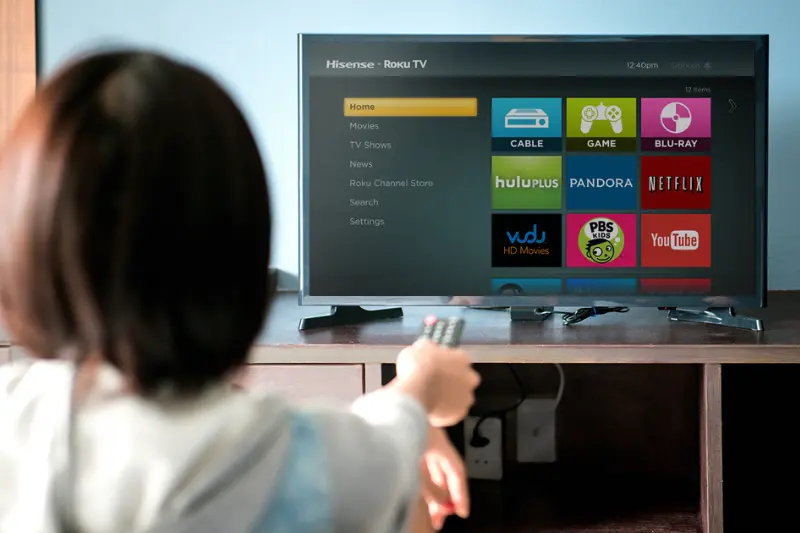
- Roku TV – Simple interface, lots of free content.
Look for Essential Features
- Voice control
- App store access
- Screen mirroring & casting
- Multiple HDMI & USB ports
- Bluetooth connectivity
Set Your Budget
Smart TVs are available for every budget. Decide how much you’re willing to spend, but don’t sacrifice essential features for a lower price.
Frequently Asked Questions (FAQs)
What is a Smart TV?
Do all Smart TVs support 4K resolution?
Can I use voice commands on any Smart TV?
How do I connect my Smart TV to the internet?
Can I mirror my phone’s screen to my Smart TV?
Are Smart TVs compatible with all streaming services?
How important is the operating system in a Smart TV?
Conclusion
Smart TVs have transformed the way we enjoy entertainment, bringing streaming, gaming, browsing, and even smart home control into one sleek device. From high-resolution displays and voice control to app stores and seamless connectivity, today’s Smart TVs offer features that cater to every lifestyle.
When choosing the right model, focus on the features that matter most to you—whether it’s stunning picture quality, smooth gaming performance, or integration with your smart home. By understanding the options available, you can make a confident choice and turn your living room into a true entertainment hub.
You may also like to read this:
New Operating Systems 2025: A Complete Overview