

Introduction
In today’s world, watching TV is no longer just about flipping through channels. Thanks to smart TV technology, your television has become a powerful entertainment hub that connects you to the internet, apps, and even your smart home devices.
Whether you love streaming movies, catching up on your favorite shows, or browsing YouTube, a smart TV makes it all easy and fun. In this blog, we’ll explore what smart TVs are, their key features, and how you can choose the best one for your home.
What is Smart TV Technology?
Smart TV technology refers to televisions that are equipped with internet connectivity and built-in software, allowing them to access and stream online content without needing additional devices. Unlike traditional TVs that only display broadcast channels or content from cable boxes, smart TVs can connect directly to the internet via Wi-Fi or Ethernet.

This lets users watch movies, TV shows, and videos from popular streaming platforms like Netflix, YouTube, and Amazon Prime, browse the web, use apps, play games, and even control other smart home devices — all from one screen.
You may also like to read this:
Latest Tech News 2025: Breakthroughs & Trends
Trending Technology Updates: Latest Innovations 2025\
Daily Tech News Highlights – Latest Trends
Breaking Tech News Today: Latest Updates, 2025
Key Features of Smart TVs
Smart TVs come packed with several advanced features that enhance your viewing experience beyond just watching traditional TV channels. Here are some of the key features you’ll find in most smart TVs:
Internet Connectivity
- Smart TVs connect to the internet via Wi-Fi or Ethernet, giving you access to endless online content like movies, shows, and live streams.
Built-in Streaming Apps
- Most smart TVs come with popular apps pre-installed, such as Netflix, YouTube, Amazon Prime Video, Hulu, and more. You can also download additional apps from their app stores.
Voice Control & AI Assistants
- Many smart TVs support voice commands through built-in AI assistants like Amazon Alexa, Google Assistant, or Apple Siri. This lets you search for shows, change channels, or control volume hands-free.
Screen Mirroring & Casting
- Easily mirror your smartphone, tablet, or laptop screen onto the TV, allowing you to share photos, videos, or presentations on a larger display.
Smart Home Integration
- Some smart TVs can connect and control other smart devices in your home, like lights, thermostats, and security cameras, creating a centralized smart home hub.
High-Resolution Displays
- Smart TVs often come with 4K or even 8K resolution, delivering sharp, vibrant images and HDR support for enhanced color and contrast.
Customizable User Interface
- The user-friendly interface allows easy navigation between live TV, apps, and settings. It also often offers personalized content recommendations based on your viewing habits.
Benefits of Using a Smart TV
Smart TVs offer many advantages that make them a popular choice for modern home entertainment. Here are some of the key benefits:
Access to Unlimited Content
- With internet connectivity and streaming apps, you can watch thousands of movies, TV shows, and videos on demand—no need to rely on cable or satellite subscriptions.
Convenience and Ease of Use
- Smart TVs combine multiple devices into one. You don’t need separate streaming boxes, gaming consoles, or media players to enjoy diverse content.
Personalized Viewing Experience
- Smart TVs use algorithms to suggest shows and movies based on your preferences, helping you discover new favorites effortlessly.
Voice Control and Hands-Free Operation
- Control your TV with simple voice commands, making it easier to search for content, adjust settings, or switch inputs without the remote.
Integration with Smart Home Devices
- Some smart TVs act as control centers for your smart home, allowing you to manage lights, cameras, and thermostats directly from your TV screen.
Regular Software Updates
- Manufacturers often provide updates that improve performance, add new features, and keep your TV secure.
Improved Picture and Sound Quality
- Many smart TVs feature advanced display technologies like 4K, HDR, and Dolby Atmos sound for an immersive viewing experience.
How to Connect a Smart TV to the Internet
Connecting your smart TV to the internet is essential to unlock all its features. Here’s how you can do it easily:
Using Wi-Fi (Wireless Connection)
- Turn on your smart TV and open the settings menu.
- Find the “Network” or “Internet” option.
- Select “Wireless” or “Wi-Fi” network.
- Your TV will scan and display available Wi-Fi networks.
- Choose your home Wi-Fi network from the list.
- Enter your Wi-Fi password using the remote control.
- Once connected, your TV will confirm the connection.
Using Ethernet Cable (Wired Connection)
- Connect one end of an Ethernet cable to your router or modem.
- Plug the other end into the Ethernet port on your smart TV.
- The TV will automatically detect the wired connection.
- You may need to go into the settings to confirm or configure the network if prompted.
Test Your Connection
- After connecting, many smart TVs allow you to run a network test in the settings to ensure the internet is working properly.
Popular Smart TV Operating Systems
The operating system (OS) of a smart TV is the software platform that controls its features and user interface. Different brands use different OS platforms, each offering unique experiences and app selections. Here are some of the most popular smart TV operating systems:
Android TV
- Developed by Google, Android TV is widely used by brands like Sony, TCL, and Hisense. It offers access to the Google Play Store, voice control via Google Assistant, and seamless integration with other Android devices.
Tizen OS
- Samsung smart TVs run on Tizen OS, which provides a smooth and intuitive interface. It supports a wide range of apps and offers features like multi-tasking and voice commands through Bixby, Samsung’s AI assistant.
webOS
- LG smart TVs use webOS, known for its easy-to-navigate launcher bar and quick app switching. It supports popular streaming apps and voice control via Google Assistant and Alexa.
Roku TV
- Roku OS powers smart TVs from brands like TCL and Hisense in some regions. It’s known for its simple interface, extensive app library (Roku Channel Store), and easy content discovery.
Fire TV Edition
- Amazon’s Fire TV OS is available on smart TVs from brands like Toshiba and Insignia. It integrates Alexa voice control and offers a large selection of streaming apps and games.
You may also like to read this:
Future Technology Trends: Innovations That Will Shape World
Upcoming Tech Innovations to Watch in 2025
Latest Technology Advancements: Transforming Our World
How to Choose the Right Smart TV
Picking the perfect smart TV can feel overwhelming with so many options available. Here are some important factors to consider that will help you make the best choice:
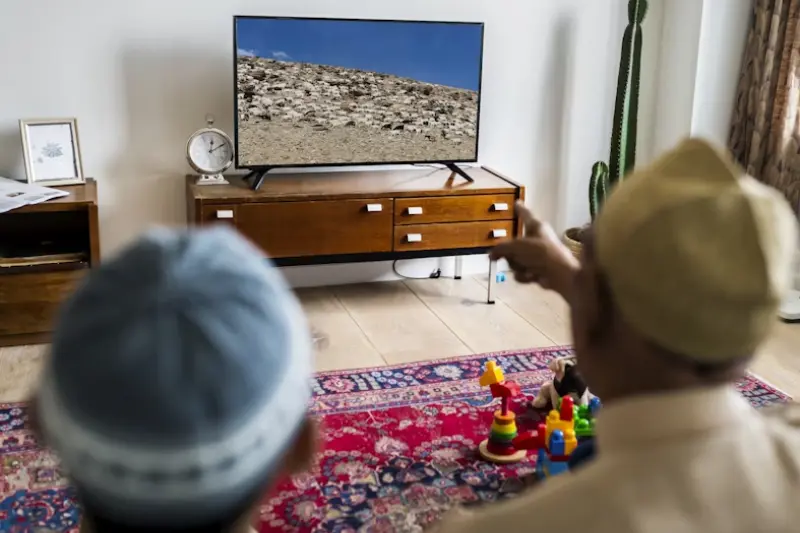
Screen Size and Viewing Distance
- Choose a screen size that fits your room and viewing distance. For example, a 55-inch TV is great for a typical living room, but bigger rooms might benefit from 65 inches or more.
Resolution
- Look for at least 4K resolution (Ultra HD) for crisp, clear images. Higher-end TVs offer 8K, but 4K is the current standard for great picture quality.
Operating System (OS)
- Consider which smart TV OS you prefer (Android TV, Tizen, webOS, Roku, Fire TV) based on app availability and ease of use.
Connectivity Options
- Make sure the TV has enough HDMI and USB ports for your devices, and check if it supports Wi-Fi and Ethernet connections.
HDR Support
- High Dynamic Range (HDR) improves color and contrast for a more vivid picture. Look for HDR10, Dolby Vision, or HDR10+ support.
Frequently Asked Questions (FAQs)
What makes a TV “smart”?
Q: Do I need an internet connection to use a smart TV?
Q: Can I use a smart TV without a streaming subscription?
Q: How do I update my smart TV software?
Q: Can I control my smart TV with my voice?
Q: Is a smart TV better than using a streaming device like Roku or Fire Stick?
Q: Can I connect my smartphone to my smart TV?
Conclusion
Smart TV technology has revolutionized how we consume entertainment, combining traditional TV viewing with the power of the internet and smart features. With easy access to streaming apps, voice control, smart home integration, and high-quality displays, smart TVs offer a convenient and personalized viewing experience.
Whether you’re a casual viewer or a tech enthusiast, investing in the right smart TV can elevate your home entertainment to the next level. By understanding the key features and considering your needs, you can choose the perfect smart TV that fits your lifestyle and budget.
You may also like to read this:
New Operating Systems 2025: A Complete Overview