Introduction
Today, entertainment has completely changed. People no longer depend on cable TV alone; instead, they want streaming apps like YouTube, Netflix, Amazon Prime Video, and many others. But not everyone owns a smart TV, and buying a new smart TV can be expensive.
This is where a smart TV converter device becomes very useful. It is a small and affordable device that turns your normal TV into a smart TV within minutes. You can enjoy apps, internet browsing, gaming, and online videos without buying a new TV.
This guide explains everything about smart TV converter devices in simple language, including how they work, types, features, setup steps, advantages, problems, comparison with smart TVs, and the best models to buy in 2025.
What Is a Smart TV Converter Device?
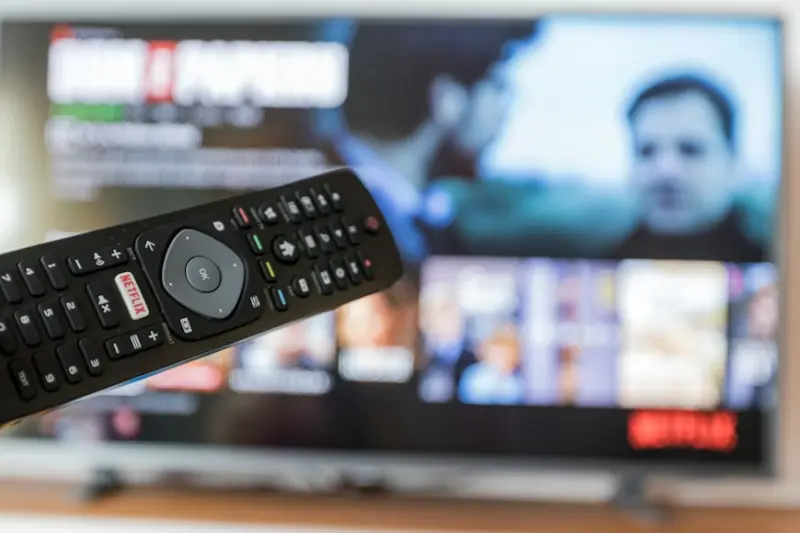
A smart TV converter device is a small digital device that connects to your regular LED, LCD, or old TV and converts it into a smart TV. After connection, you can install apps, stream online content, browse the internet, use social media, play games, and more.
It works just like a smart TV but costs much less. It is also easy to use and can be carried anywhere.
How Smart TV Converter Devices Work
Most smart TV converter devices use the Android TV operating system. They connect to your TV using an HDMI cable or AV cable (for old TVs). After connecting, the device uses your home Wi-Fi or mobile hotspot to access online apps.
You get a remote control to navigate apps on your TV screen. Some devices also support voice control, Bluetooth devices, gaming controllers, and screen mirroring from your phone.
The device acts like a mini-computer that processes apps, displays content, and gives you a complete smart experience.
Why You Need a Smart TV Converter Device
There are many reasons why people prefer buying a smart TV converter device instead of upgrading their TV.
Saves Money
Easy to Install
- It takes only 2 to 3 minutes to set up. Anyone can do it without technical knowledge.
Works on Any TV
Access to Thousands of Apps
- You get access to YouTube, Netflix, Prime Video, Disney+, Spotify, Facebook, and more.
Portable
- You can use it in different rooms, take it on vacation, or use it in hotels.
These benefits make it an essential gadget for modern home entertainment.
Key Features of a High-Quality Smart TV Converter Device
A good device should offer a smooth experience. Here are the most important features:
High-Speed Processor
- For smooth app performance and fast loading.
Sufficient RAM and Storage
- 2GB to 4GB RAM and 16GB to 64GB storage is ideal for apps and media.
Wi-Fi and Bluetooth
- For wireless internet and device connections.
UHD or 4K Support
- For clear and high-quality video.
Voice Control
- Google Assistant or Alexa support for easy commands.
Screen Mirroring
- Cast your smartphone screen on the TV.
App Store Access
- Download apps easily from Play Store or a dedicated app store.
Regular Software Updates
- Keeps your device secure and up to date.
Different Types of Smart TV Converter Devices
There are several types of devices, and each works differently.
Android TV Boxes
- Most powerful option with 4K support and full app features.
TV Sticks
- Portable devices that plug directly into the HDMI port. Examples include Amazon Fire Stick.
Chromecast Devices
- Designed mainly for casting content from your phone.
AV to HDMI Converter Devices
- For converting old TVs, especially those without HDMI ports.
Hybrid TV Converter Devices
- Support both live TV and smart apps.
Knowing the type helps you choose the best device for your needs.
Smart TV Converter Device vs Smart TV
Many people wonder which option is better. Here is the comparison.
Smart TV Converter Device
- Affordable
- Portable
- Works with any TV
- Upgradeable anytime
- Easy to replace
Smart TV
- Expensive
- Fixed hardware
- Hard to upgrade
- Built-in system
A converter device offers more flexibility and costs much less, making it the better option for most people.
How to Choose the Best Smart TV Converter Device
Before buying, check these factors:
Compatibility
- Ensure it supports HDMI or AV depending on your TV.
RAM and Storage
- Higher RAM means smoother performance.
- Minimum recommendation: 2GB RAM, 16GB storage.
Video Resolution
- Choose 1080p or 4K based on your TV’s capability.
Processor Type
- Look for at least a quad-core processor.
Remote Control
- Voice remote is a great feature.
Connectivity Options
- Dual-band Wi-Fi and Bluetooth 5.0 offer better performance.
Support and Warranty
- Choose brands that offer updates and service.
How to Set Up a Smart TV Converter Device (Step-by-Step Guide)
Here is a simple setup guide for beginners.
Step 1: Connect the Device to Your TV
- Use an HDMI cable or AV cable.
Step 2: Power on the Device
- Plug the power adapter into a socket.
Step 3: Select the Input
- Choose the correct HDMI or AV source on your TV.
Step 4: Connect to Wi-Fi
- Enter your home Wi-Fi or mobile hotspot password.
Step 5: Login to your Google Account
- This allows you to download apps from Play Store.
Step 6: Install Apps
- Install YouTube, Netflix, Prime Video, and other apps you use.
Step 7: Enjoy Streaming
- Your normal TV is now fully smart.
Best Smart TV Converter Devices in 2025
Here are some popular devices available worldwide:
Amazon Fire TV Stick 4K
- Fast, reliable, voice remote.
Xiaomi Mi Box S
- Smooth performance and good price.
Chromecast with Google TV
- Best for casting and Google apps.
Realme 4K Smart Google Stick
- Affordable and powerful.
Nvidia Shield TV
- Best for gaming and 4K performance.
Local Android TV Boxes
- Budget-friendly options with good features.
These devices offer excellent performance and long-term reliability.
Supported Streaming Apps and Services
Most devices support major streaming platforms such as:
- YouTube
- Netflix
- Amazon Prime Video
- Disney+
- Hulu
- Spotify
- Facebook Watch
- Hotstar
- Local IPTV apps
- Video players
- Web browsers
You can enjoy unlimited entertainment from these apps.
Compatibility With Old and New TVs
If your TV has an HDMI port, you can use any converter device.
For older TVs without HDMI, you need an AV to HDMI adapter.
This means almost any television can become smart with the right setup.
Internet Requirements for Smooth Streaming
A stable internet connection is important.
- For YouTube 720p: 5 Mbps
- For Netflix HD: 10 Mbps
- For 4K Streaming: 20+ Mbps
Mobile hotspot also works if the speed is good.
Common Problems and How to Fix Them
Slow Performance
- Clear cache or delete unused apps.
Apps Not Opening
- Update apps from Play Store.
No Internet
- Reconnect Wi-Fi or restart the device.
No Display
- Check HDMI cable or change the port.
Remote Not Working
- Change batteries or reconnect Bluetooth.
These simple fixes solve most issues.
Price Range and Budget Options
Smart TV converter devices are available at different prices.
- Budget Devices: Very affordable
- Mid-Range Devices: Good performance
- High-End Devices: Best for gaming and 4K
This price flexibility allows anyone to afford them.
Benefits of Using a Smart TV Converter Device
- Cost-effective
- Easy installation
- Upgradeable
- Portable
- Compatible with all TVs
- Works with apps and games
- Faster performance than many smart TVs
- Better customization
These advantages make it the most popular choice in many homes.
Security, Privacy, and Software Updates
Security updates keep your device safe from viruses and threats.
Choose a brand that provides:
- Regular updates
- Secure OS
- Safe app installation
- Privacy settings
This ensures long-term protection.
Future of Smart TV Converter Devices
In the coming years, converter devices will include:
- Faster processors
- AI-powered voice control
- Better gaming support
- More storage
- Advanced screen casting
- Integration with home automation
The future is very promising for these devices.
FAQs About Smart TV Converter Device
What is a smart TV converter device?
A smart TV converter device is a small gadget that connects to your regular TV and turns it into a smart TV. It lets you use apps like YouTube, Netflix, and Prime Video, browse the internet, and stream online content without buying a new TV.
Can I use a smart TV converter device on any TV?
Yes. You can use it on almost any LED, LCD, or old TV.
If your TV has an HDMI port, you can connect the device directly.
If your TV only has AV (red, yellow, white) ports, you will need an AV-to-HDMI converter.
Do I need internet for the device to work?
Yes. Most apps like YouTube, Netflix, and others need internet.
You can use:
Wi-Fi, mobile hotspot, or wired internet (depending on device).
Is it better to buy a smart TV or a smart TV converter device?
A smart TV converter device is better if:
You want a budget-friendly option
You already have a working TV
You want portability
You want more flexibility and easy upgrades
Buying a smart TV is only needed if your TV is broken or too old.
Which apps can I use on a smart TV converter device?
Most devices support popular apps such as:
YouTube
Netflix
Amazon Prime Video
Disney+
Hulu
Spotify
Facebook Watch
Local IPTV apps
Web browsers
Media players
How do I connect a smart TV converter device to my TV?
Connect it using the HDMI cable.
Select the HDMI option from the TV input.
Connect the device to Wi-Fi.
Login to your Google account.
Start downloading apps and enjoy.
Can I use screen mirroring on a smart TV converter device?
Yes. Most devices support screen mirroring or casting from Android and iPhone.
This allows you to display your phone screen on your TV wirelessly.
How much RAM and storage does a good device need?
For smooth performance:
2GB–4GB RAM (minimum recommended is 2GB)
16GB–64GB storage
More RAM and storage give better performance and more app space.
What is the price of a smart TV converter device?
Prices vary based on features:
Budget devices: Affordable
Mid-range: Better performance
High-end: 4K support and advanced features
Overall, they are much cheaper than a smart TV.
Can I play games on a smart TV converter device?
Yes. Many Android TV boxes support gaming apps and gaming controllers.
However, high-end gaming is only supported by powerful devices like Nvidia Shield TV.
Final Thoughts
A smart TV converter device is one of the easiest and most affordable ways to upgrade your home entertainment setup. Instead of spending money on a new smart TV, you can turn your existing LED, LCD, or even an old television into a fully functional smart TV within minutes. These devices offer fast performance, access to thousands of apps, online streaming, screen mirroring, gaming support, and regular updates, all in a compact and budget-friendly package.
Whether you want to watch movies, enjoy music, browse the internet, use social media, or play games, a smart TV converter device provides everything you need in one small gadget. It is simple to install, easy to use, energy-efficient, and portable enough to carry anywhere. For most users, it is a much smarter investment compared to buying a new television.
If you want modern features, app compatibility, and a smooth entertainment experience without spending too much, a smart TV converter device is the perfect solution. It brings smart features to any TV and ensures you enjoy the convenience and flexibility of a smart home setup.